> ## Documentation Index
> Fetch the complete documentation index at: https://support.effra.io/llms.txt
> Use this file to discover all available pages before exploring further.
# Bupa Providers Online
# Granting access in Bupa Providers Online
1. Log into [Bupa Providers Online](https://providersonline.bupa.co.uk/)
2. From the left sidebar menu click **Manage my details** → **Users** → **Add New User**
3. On the top right of the screen click [Find an existing user](https://providersonline.bupa.co.uk/providers-online/account/findUser)
4. Search for `HenryHeath`
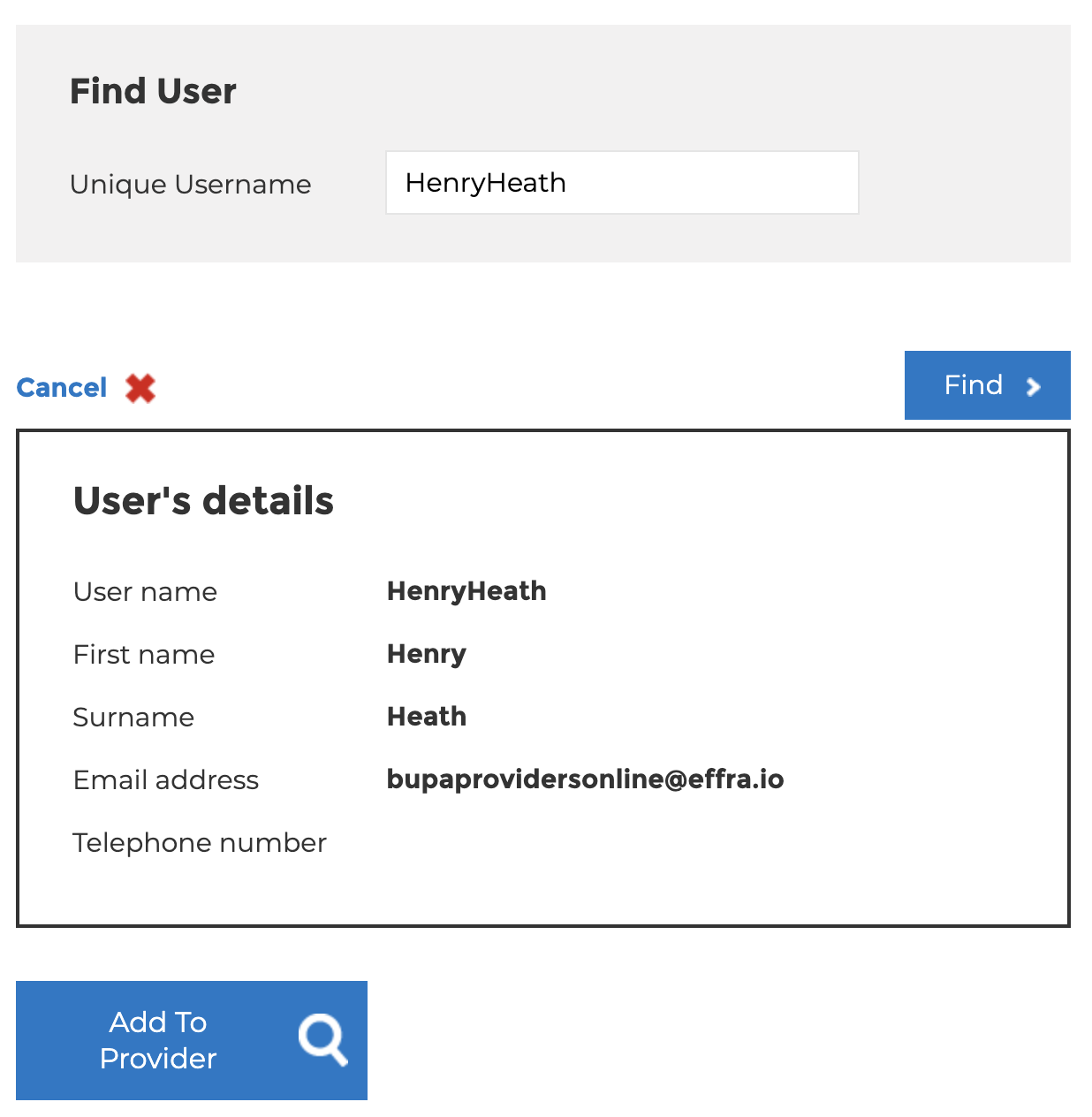 5. Click **Add To Provider**
6. If prompted, set the **User Type** to **Delegate**
7. Set the permissions as below:
5. Click **Add To Provider**
6. If prompted, set the **User Type** to **Delegate**
7. Set the permissions as below:
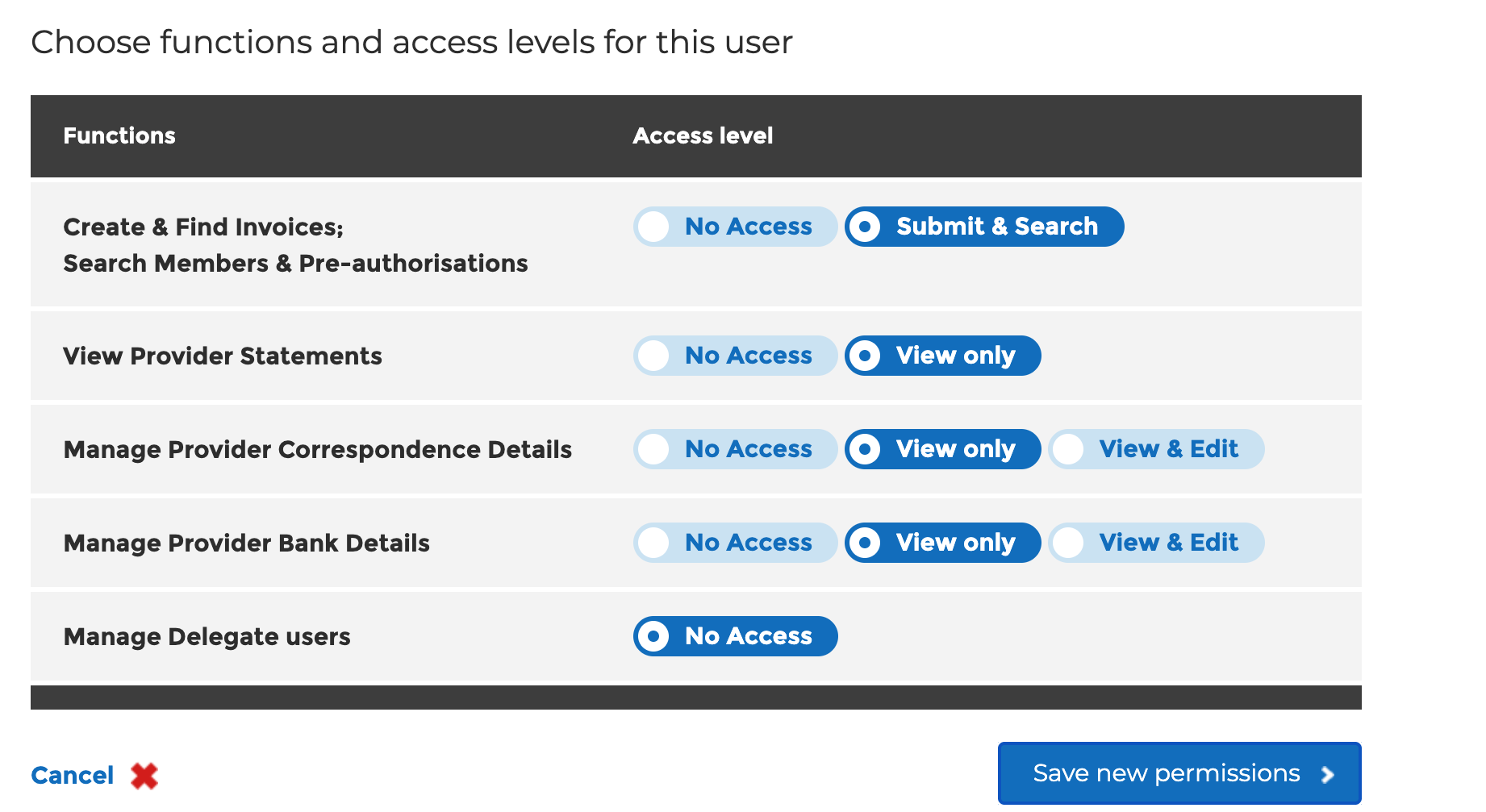 8. Click **Save New Permissions**
That's it! You're all set.
8. Click **Save New Permissions**
That's it! You're all set.