

Granting access in Bupa Providers Online
- Log into Bupa Providers Online
- From the left sidebar menu click Manage my details → Users → Add New User
- On the top right of the screen click Find an existing user
- Search for
HenryHeath
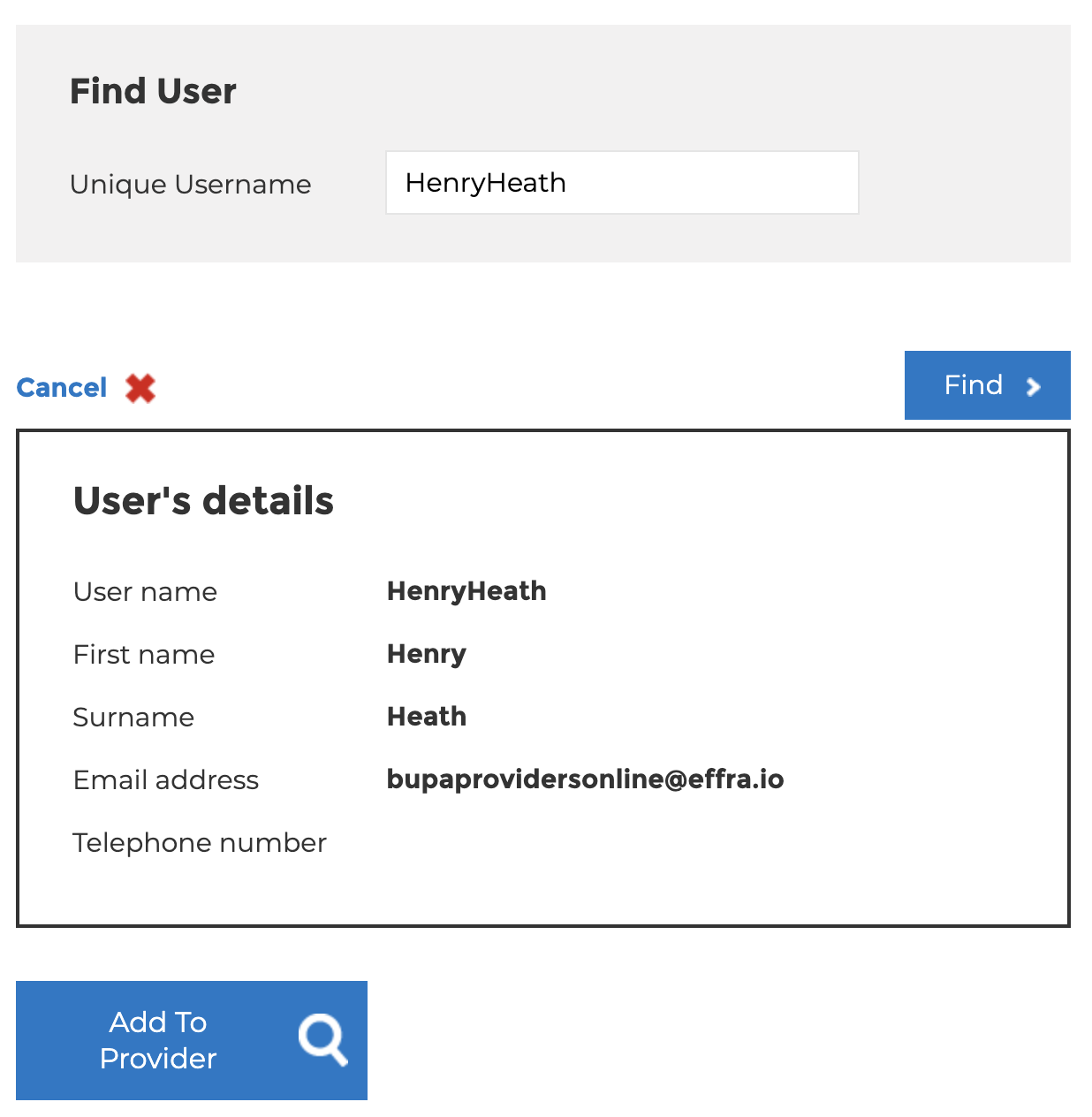
- Click Add To Provider
- If prompted, set the User Type to Delegate
- Set the permissions as below:
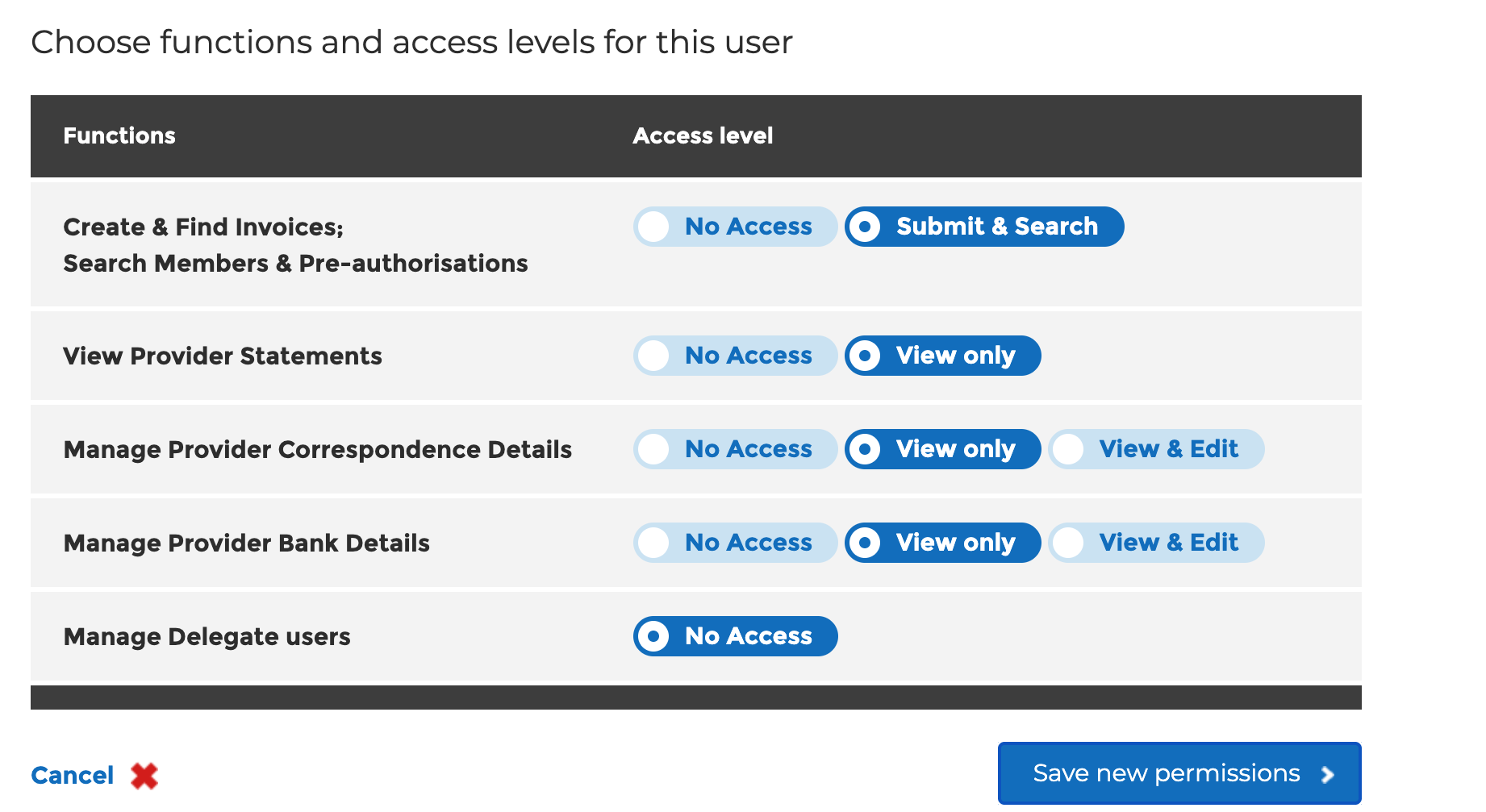
- Click Save New Permissions