
Storing and updating patient insurance details
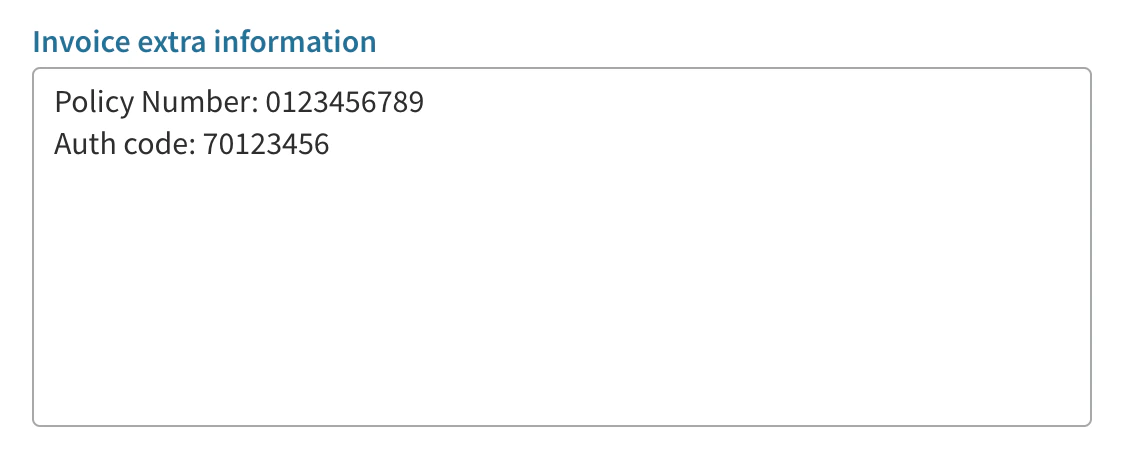
Once Cliniko is set up you just need to make sure you store patient insurance details in the right place and Effra will do the rest. Effra extracts the insurance policy number and authorisation number from each invoice. We recommend using Cliniko’s Patient Cases to keep track of authorised treatments. When a patient receives a new authorisation, you should create a new Patient Case and store the insurance details in the Patient Case notes. Each appointment should then be linked to a Patient Case. When you raise an invoice for the appointment, Effra will then use the Case notes to populate the insurance details on the invoice. The Patient Case notes should contain the authorisation number and policy number. Effra will work with any format, but we suggest the following: Policy number: XXXX Auth code: XXXX For example: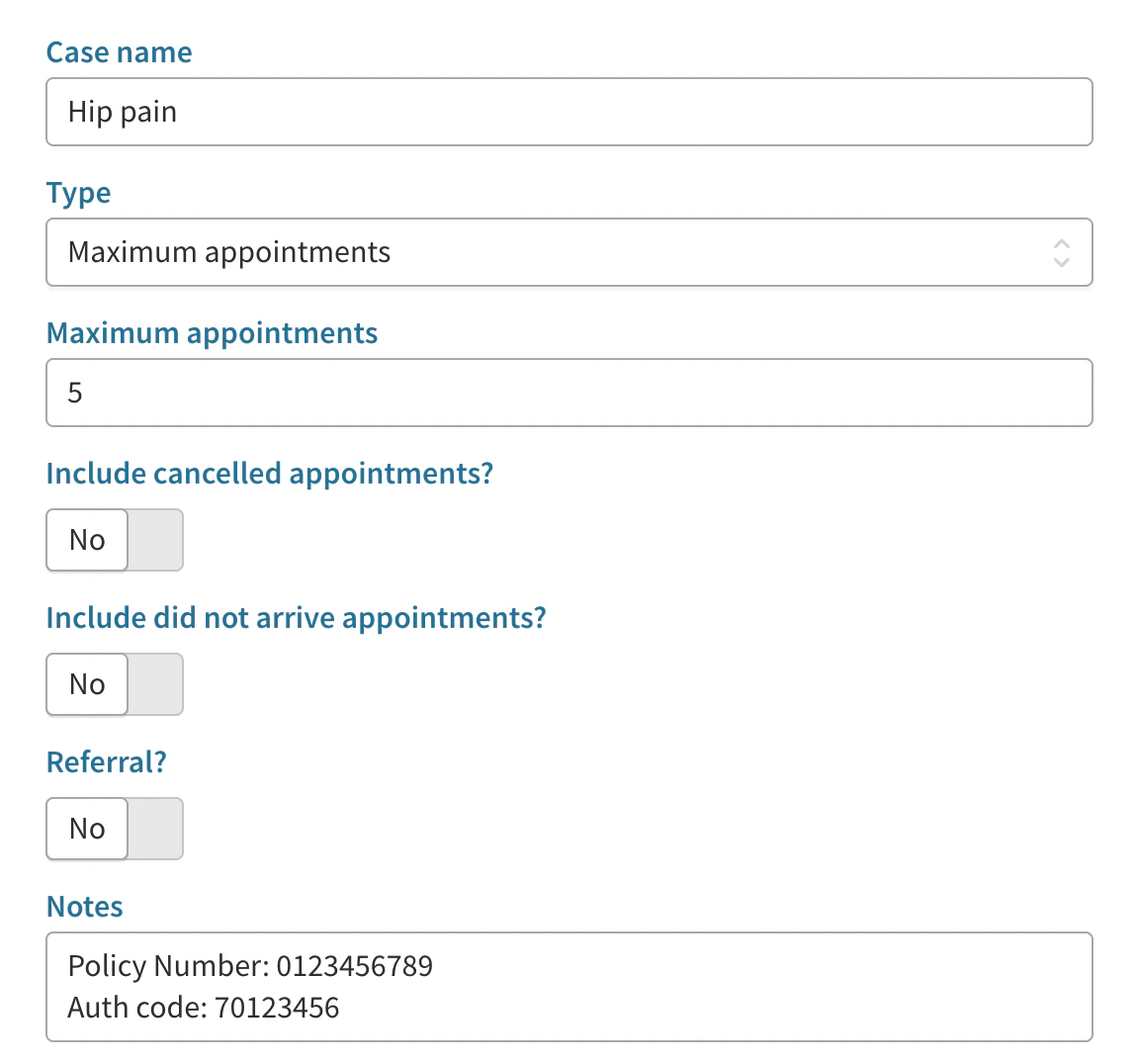
Reconciling invoices between Cliniko and Xero
Set up the Cliniko to Xero integration
Follow the Cliniko guide to integrating Xero with your Cliniko account. We also recommend using at least one dedicated clearing account within Xero to reconcile your Cliniko payments as covered in this Cliniko guide.How invoices get marked as paid
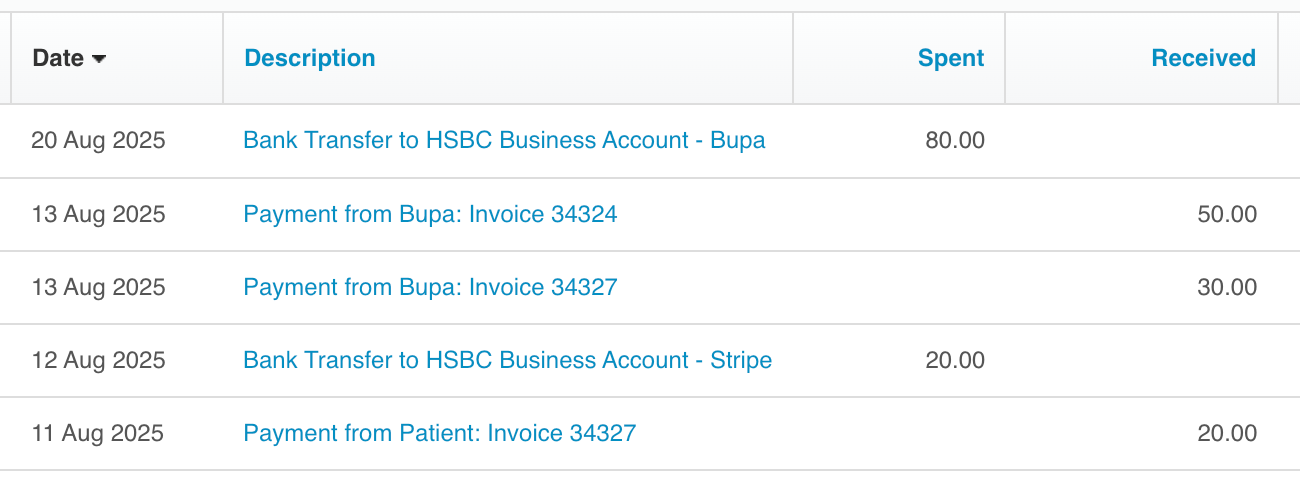
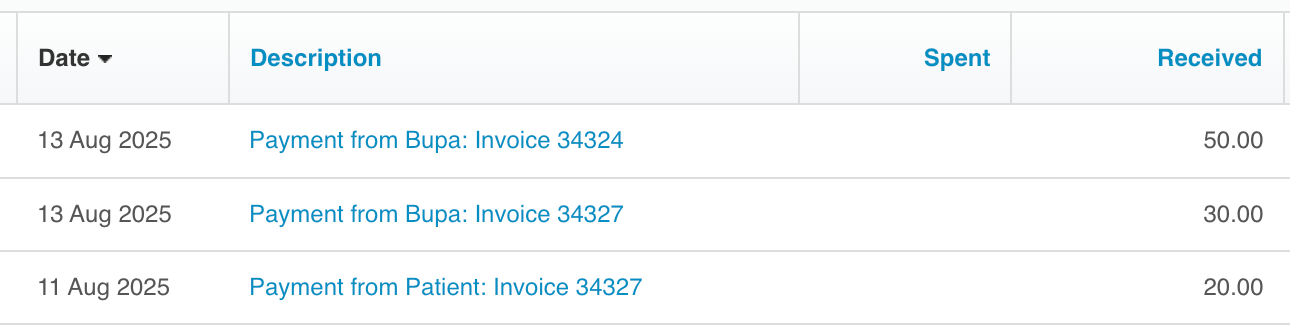
When you create an invoice in Cliniko, the Cliniko to Xero integration automatically creates that invoice in Xero. Then when an insurer sends a remittance, or when a patient pays their excess, Effra will automatically add relevant payments into Cliniko. These are created against the relevant invoice. When we add these payments in Cliniko, the Cliniko to Xero integration automatically pushes the payment to Xero and applies them to the invoices it’s already created there. So Effra pushes to Cliniko, and Clinko pushes to Xero. All three platforms will be up to date with what you’ve been paid. When the Cliniko to Xero integration creates these payments in Xero they appear in the clearing account as moneyreceived. This clearing account acts as a virtual pot of money, showing the amounts which you’ve been sent but which haven’t yet landed in your actual bank account.
How to reconcile payouts from insurers and Stripe
When the money lands in your bank account from either the insurer or from the Effra Stripe account it will show in your Xero bank feed. You then have to reconcile that money, which is effectively telling Xero where that money has come from. That money has already been allocated to invoices within Xero by the Cliniko to Xero integration and marked as being in the clearing account. So you simply tell Xero that the money has come from the clearing account into your bank account. This is reconciled as a transfer from the clearing account.