
Setting up TM3
To get TM3 set up there are two steps:Grant Effra access to TM3
Granting Effra access to TM3 is as simple as adding a new user.- From the top right of the screen click on your user icon and then select Settings
- Click Setup and then Users
- Click Add
- Add the applicable locations to the new user and give them a name that’s memorable to you
- For User Level select Practice Administrator
- Set the email address to robot@effra.io
- Click Create
Set up payment types
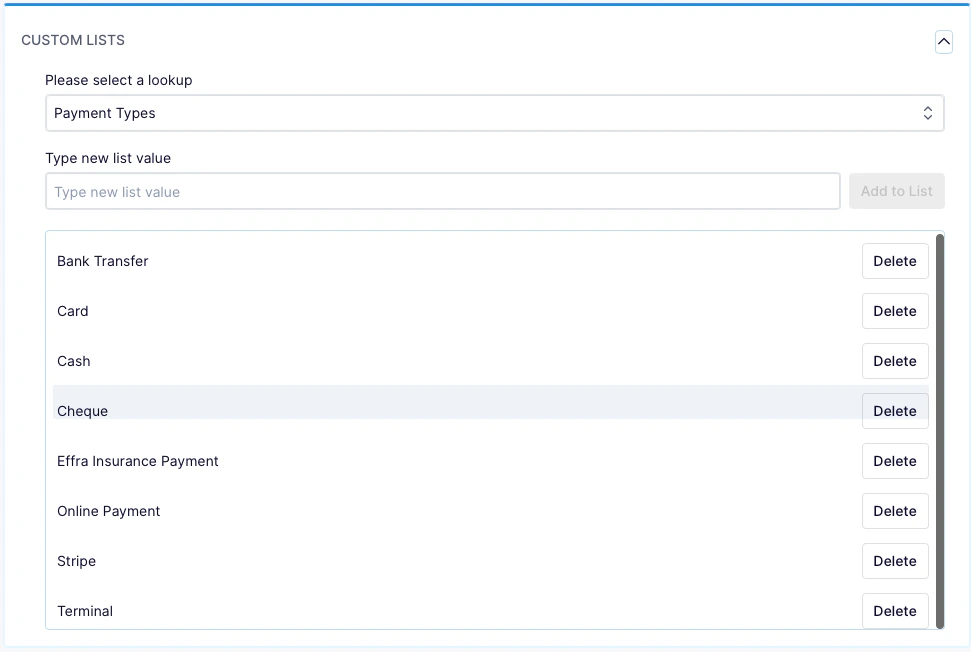
Effra will record payments back into TM3 when your invoices are paid. You need to set up custom payment types so that it’s clear which payments have been created by Effra.- From the top right of the screen click on your user icon and then select Settings
- From the menu that appears on the left, select Configuration
- Select Custom lists
- Under the Please select a lookup drop down select Payment Types
- In the Type new list value enter “Effra insurance payment” then click Add to List
- Repeat this for “Effra patient payment”