

Setting up Mindbody
To get Mindbody set up there are three steps:Create a new staff user for Effra
- From the left sidebar menu click Staff or follow this link
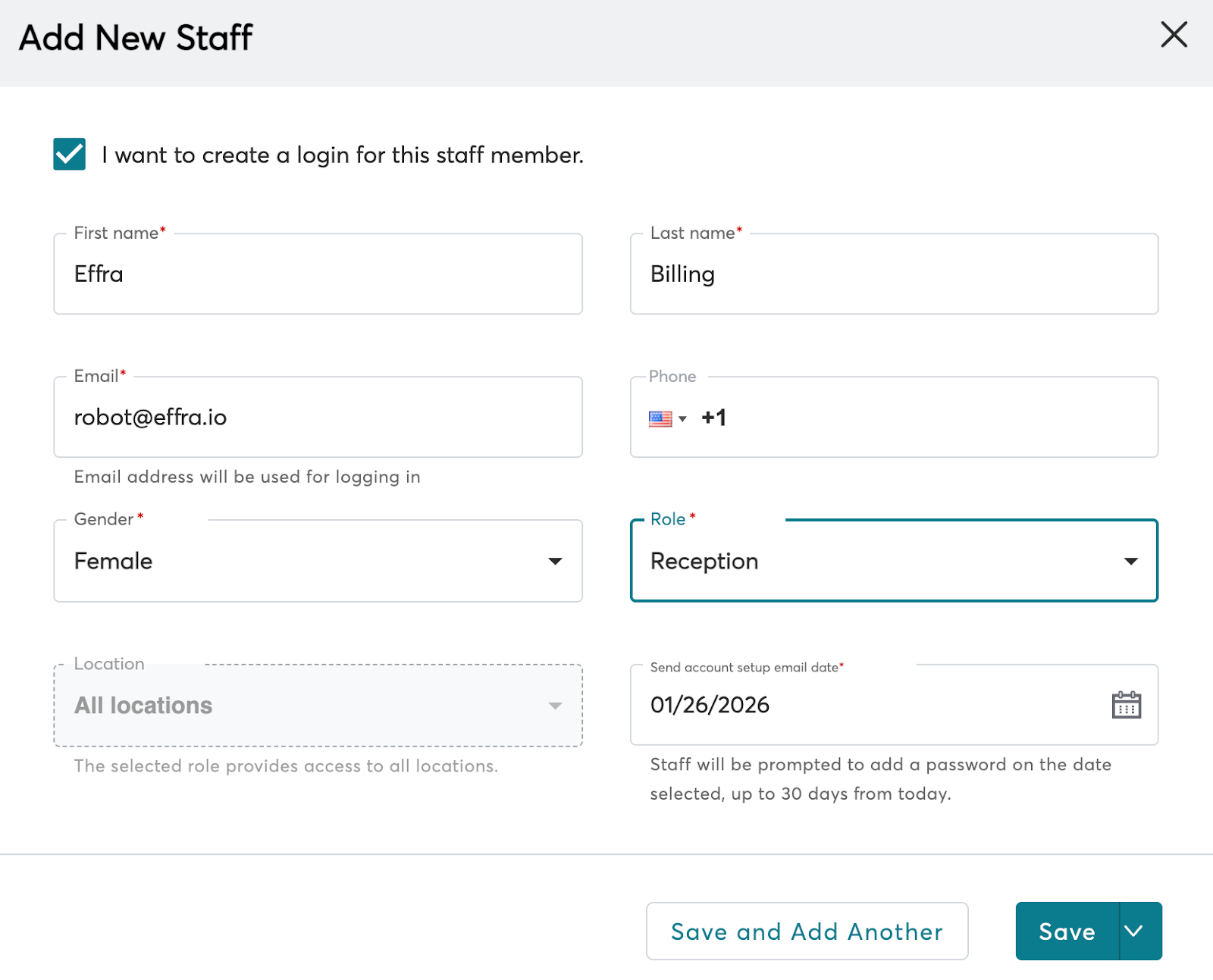
- Create a new staff user for Effra
- Tick I want to create a login for this staff member
- Enter a First name and Last name that will be clear for future reference for example Effra and Ltd
- Enter robot@effra.io in the Email field
- Select Reception as the role
- Select All locations
- Set the Send account setup email date to today’s date
- Click Save
Connect your site to Effra
- Share your Mindbody Site ID with Effra. You can find your Site ID in the page footer when you are logged in to Mindbody.
- When you receive the activation email from Mindbody, click the link to activate your site
- Let Effra know when you have completed the activation process
Create payment methods
- Go to Settings -> Retail -> Payment Methods or follow this link
- Add the following payment methods with all checkboxes selected:
Effra insurance paymentEffra patient payment
